ClientBriefAI
Run an AI Readiness Assessment
The AI Readiness Assessment scores a client out of 110 across six areas and places them in one of five stages. Run it on your first scoring call with a new client.
-
Open the assessment and add session notes
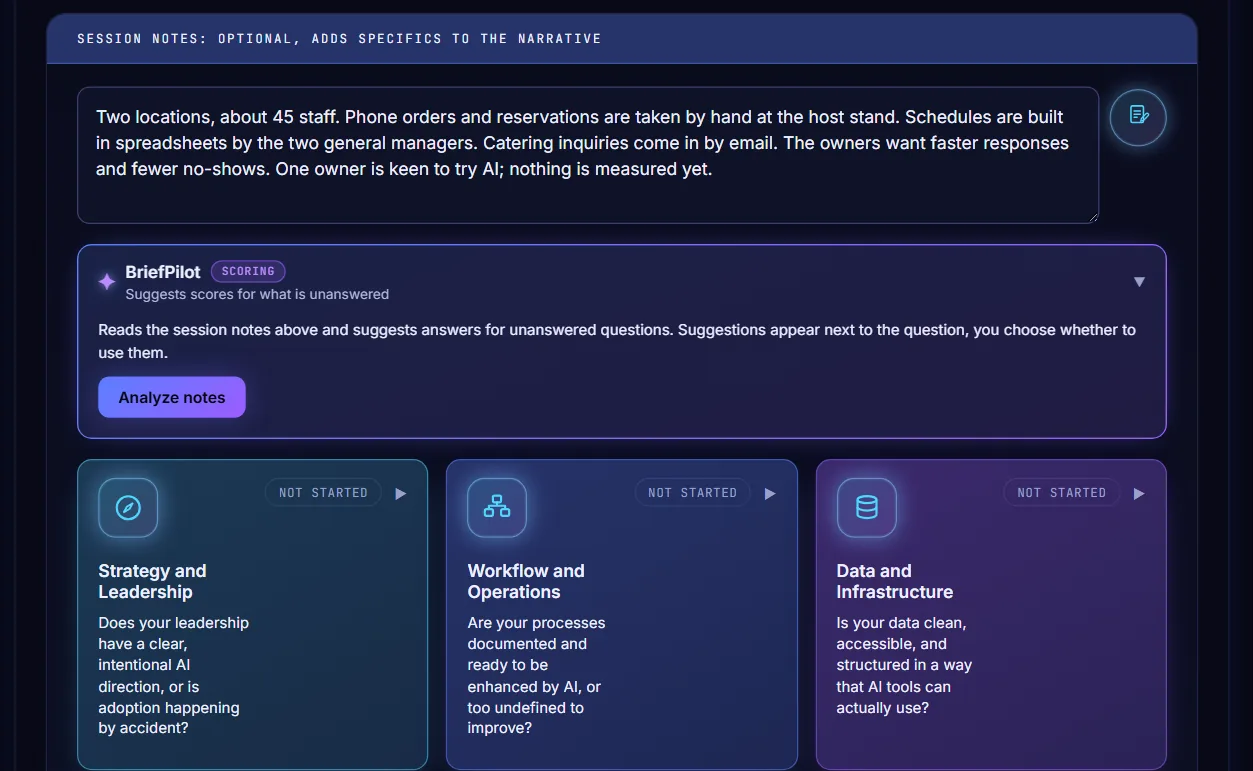
Choose AI Readiness Assessment in the sidebar. Type what you heard on the call in the session notes box. Notes are optional, but they make the report specific to this client.
-
Answer the questions in each category
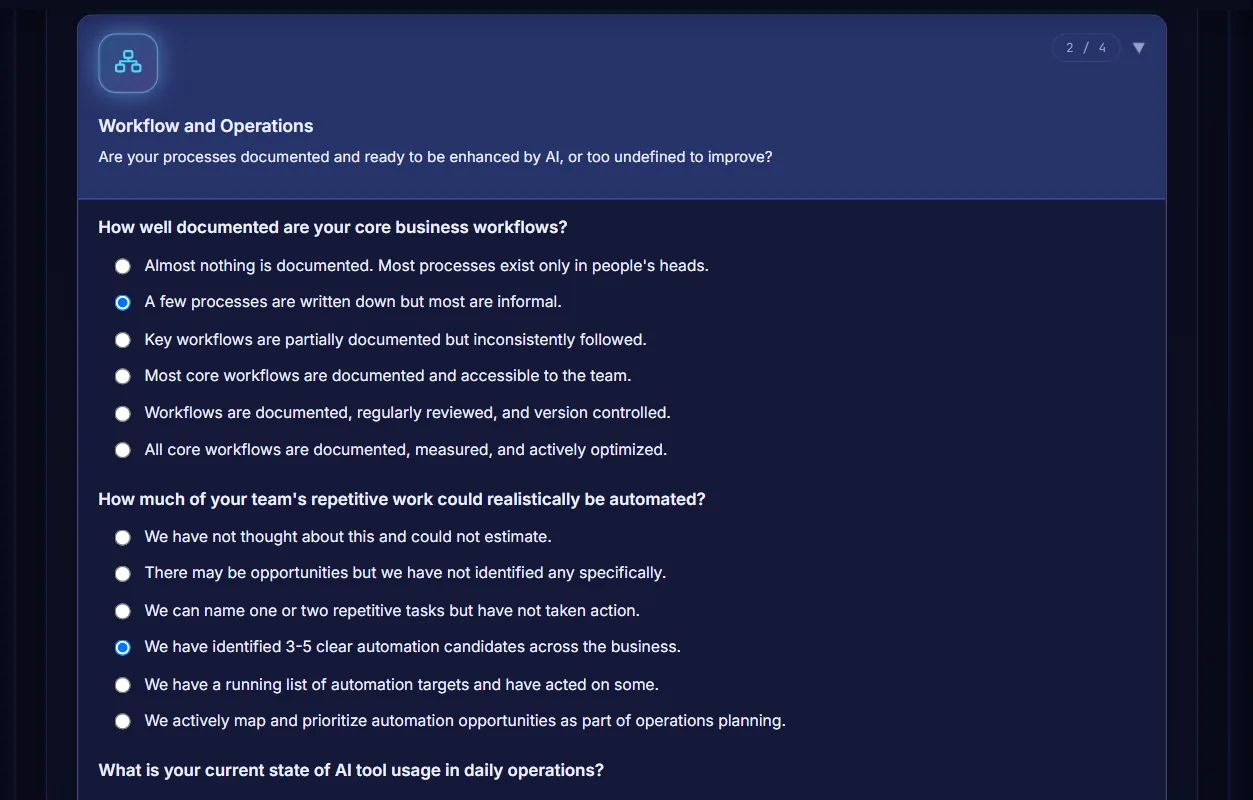
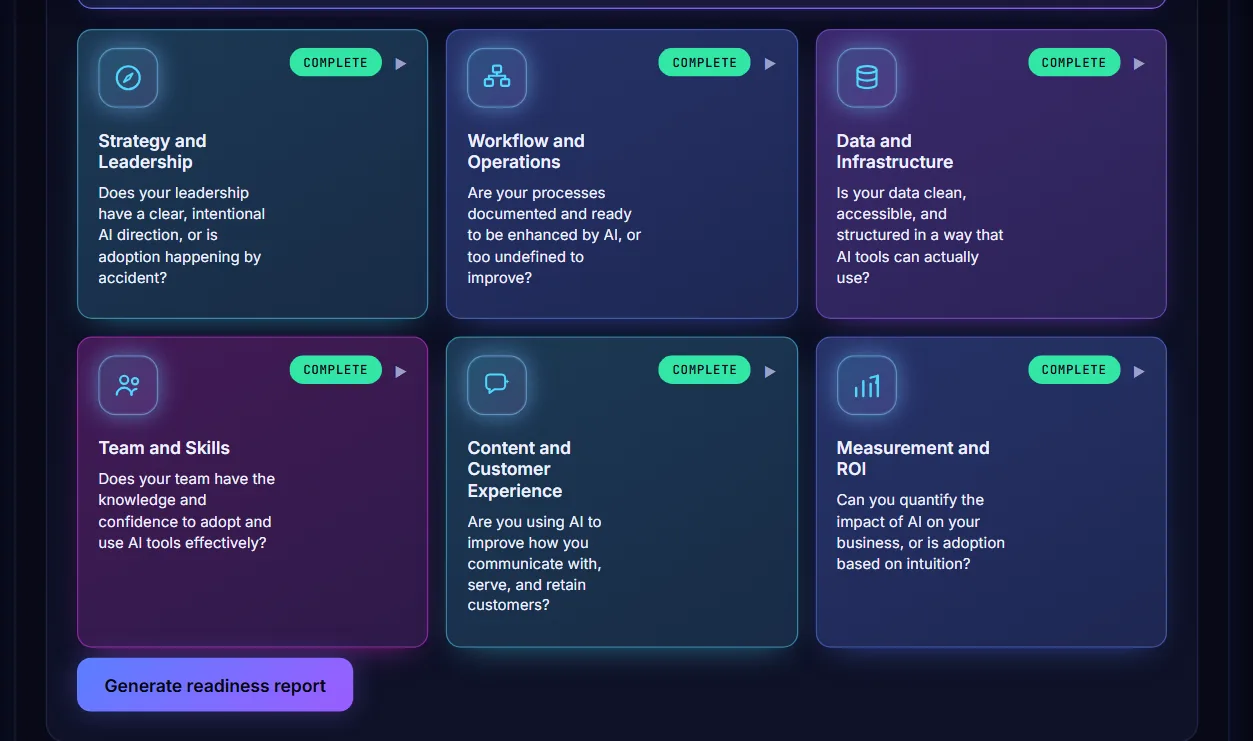
Press a category tile to open it and pick one answer for every question. The counter at the top right of the tile shows how many you have answered. There are six categories and 22 questions.
-
Generate the report
When all six tiles show Complete, press Generate readiness report. The button stays switched off until every question has an answer.
-
Read the score and stage
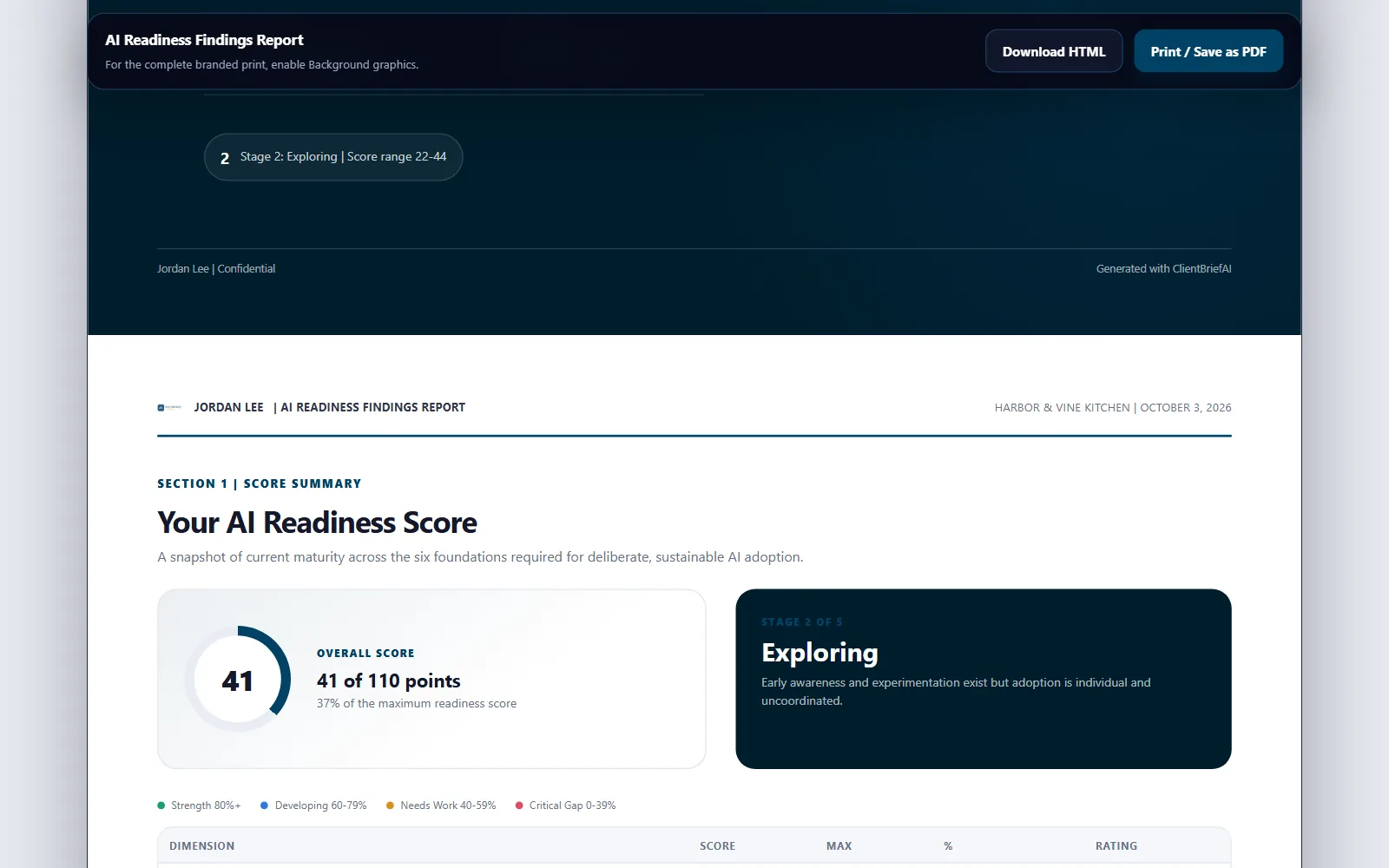
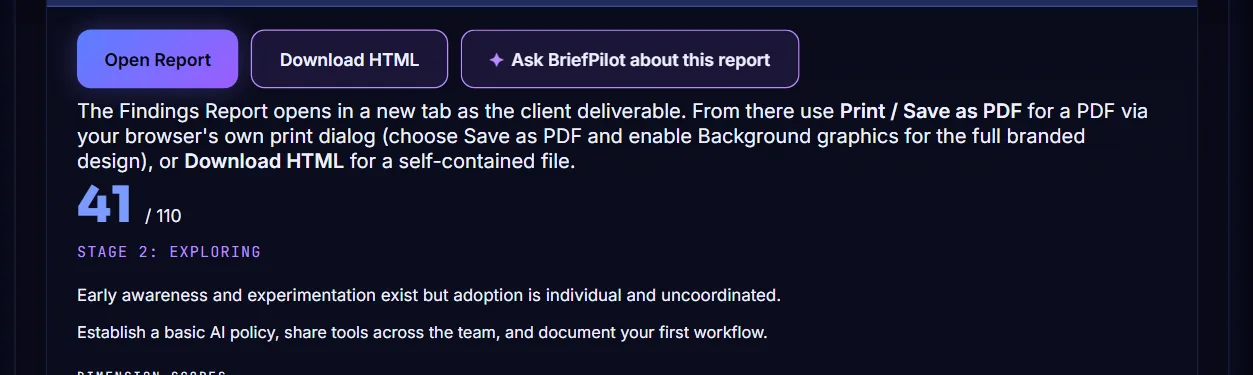
The result opens below with the total score out of 110, the stage (for example Stage 2: Exploring) and a short summary of what that stage means.
-
Review the dimension scores
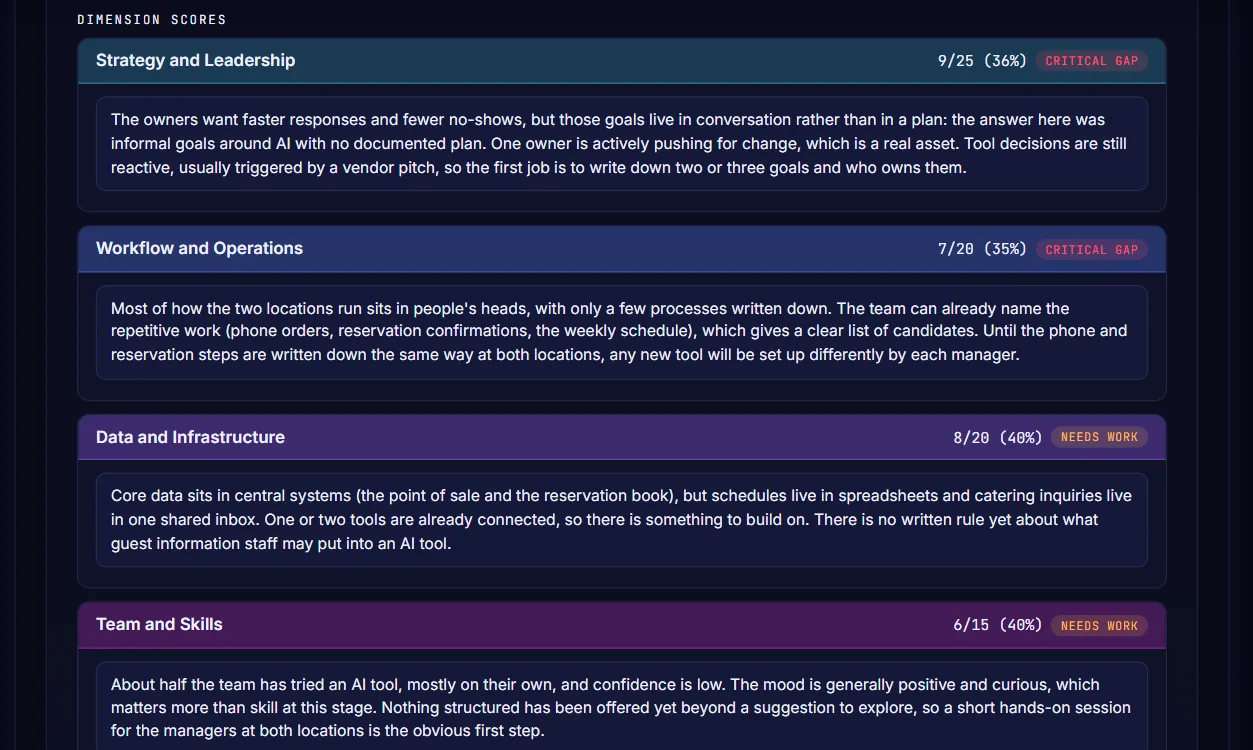
Each of the six areas shows its score, a rating such as Critical Gap or Needs Work, and a short explanation written for this client. Click into any text to edit it before you share the report.
-
Check the priority gaps and your private notes
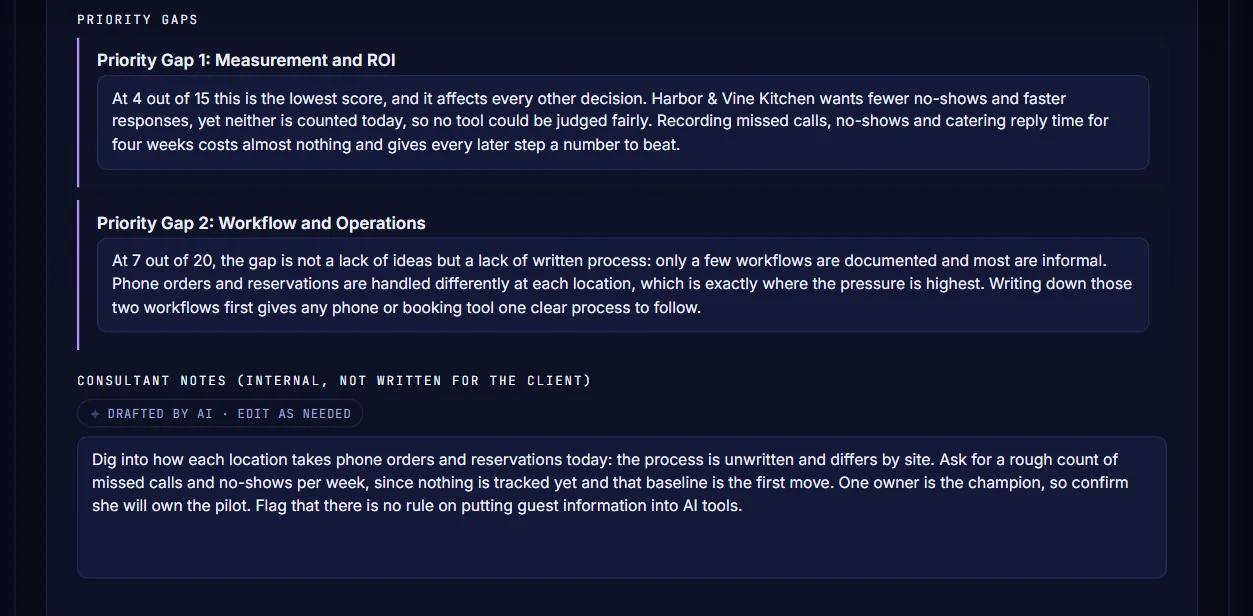
Priority Gaps names the two areas to fix first. Consultant Notes underneath is a draft for your own preparation. It is internal and is not written for the client.
-
Open and export the report
Press Open Report to see the AI Readiness Findings Report in a new tab. From there, press Print / Save as PDF to make a PDF, or Download HTML to keep the report as a single file. Download HTML is also on the result screen.